Private Home Server.
A localized, secure server environment built from scratch to manage personal data, host home automation services, and block network-wide advertisements.
Fig 1. Raspberry Pi hardware setup
To break away from relying heavily on public cloud storage and third-party DNS providers, I engineered a Raspberry Pi to act as the core of my home network. The system is containerized using Docker, allowing me to spin up, update, and isolate services without polluting the host OS.
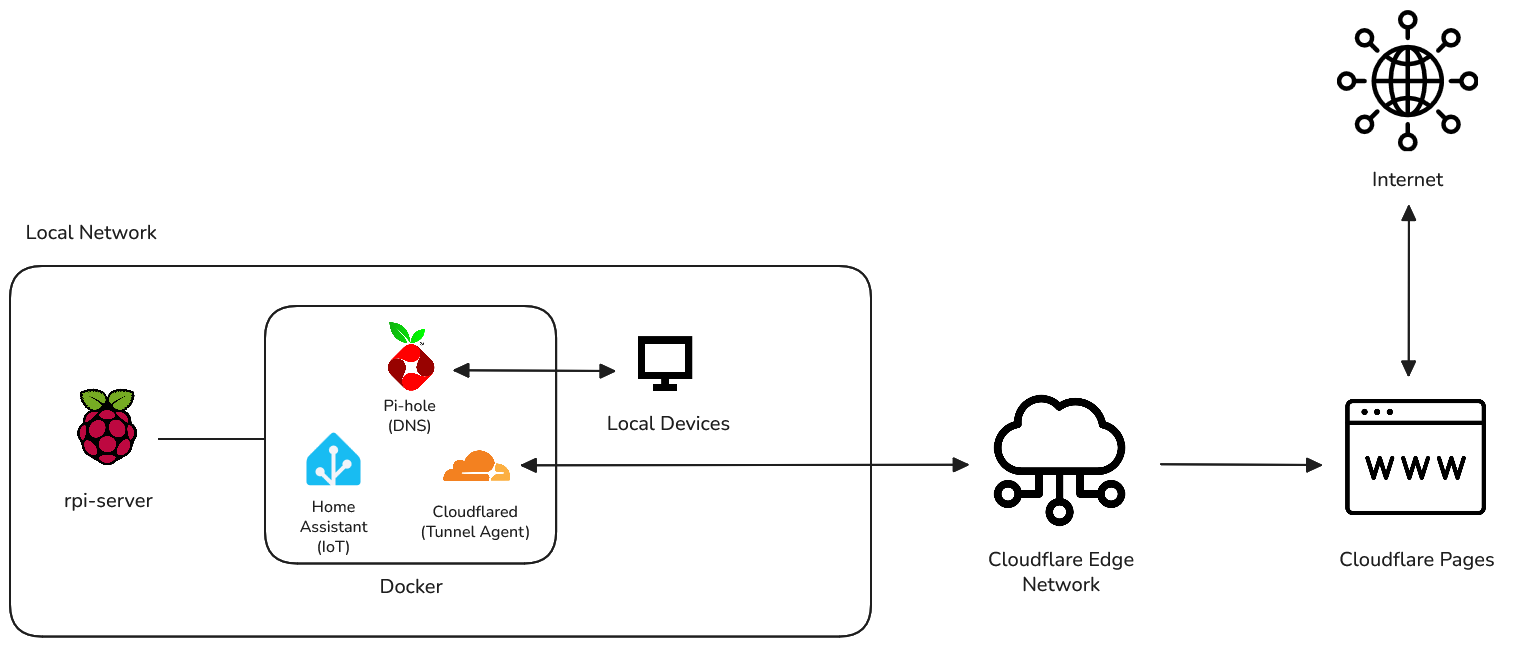
Fig 2. Network & container architecture
Managing these instances via Docker Compose drastically simplified the process of mapping ports and managing persistent volumes for configuration files.
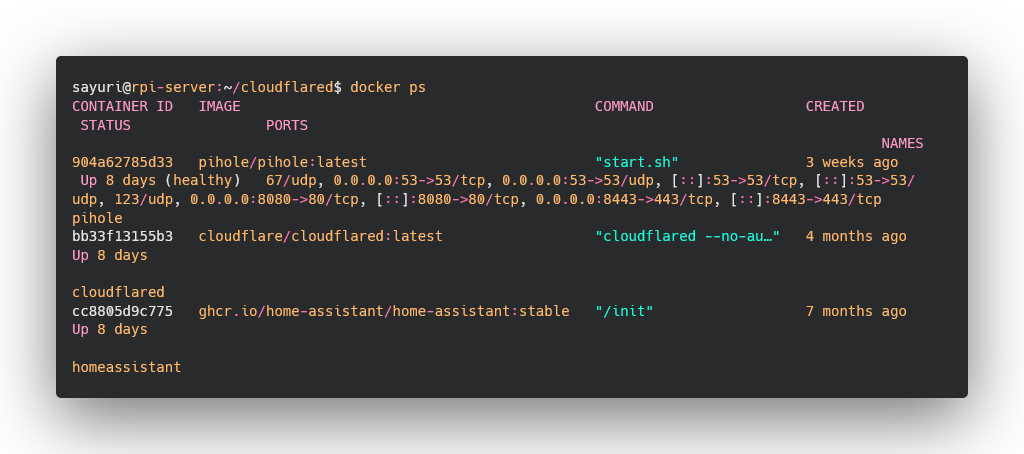
Fig 3. Docker container environment
The primary service running on the network is Pi-hole. Acting as a local DNS sinkhole, it blocks tracking domains and advertisements at the network level before they even reach my devices. This significantly reduces bandwidth usage and improves load times across the entire local network.
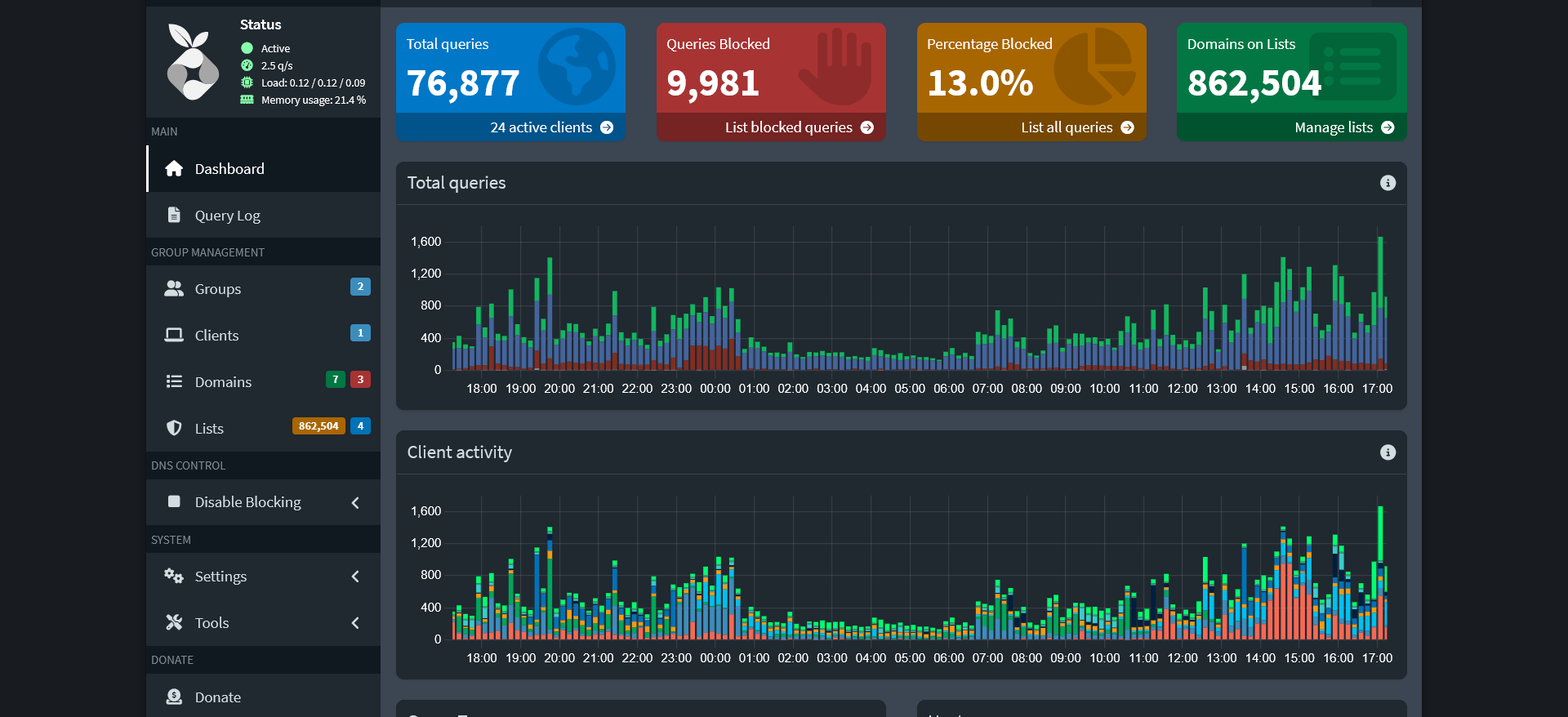
Fig 4. Pi-hole DNS sinkhole dashboard
Alongside Pi-hole, I integrated Home Assistant to unify my smart home devices under a single, local interface. To access these services securely from outside my local network, I configured Cloudflared and Tailscale, establishing a zero-configuration VPN that encrypts my traffic without exposing ports to the public internet.
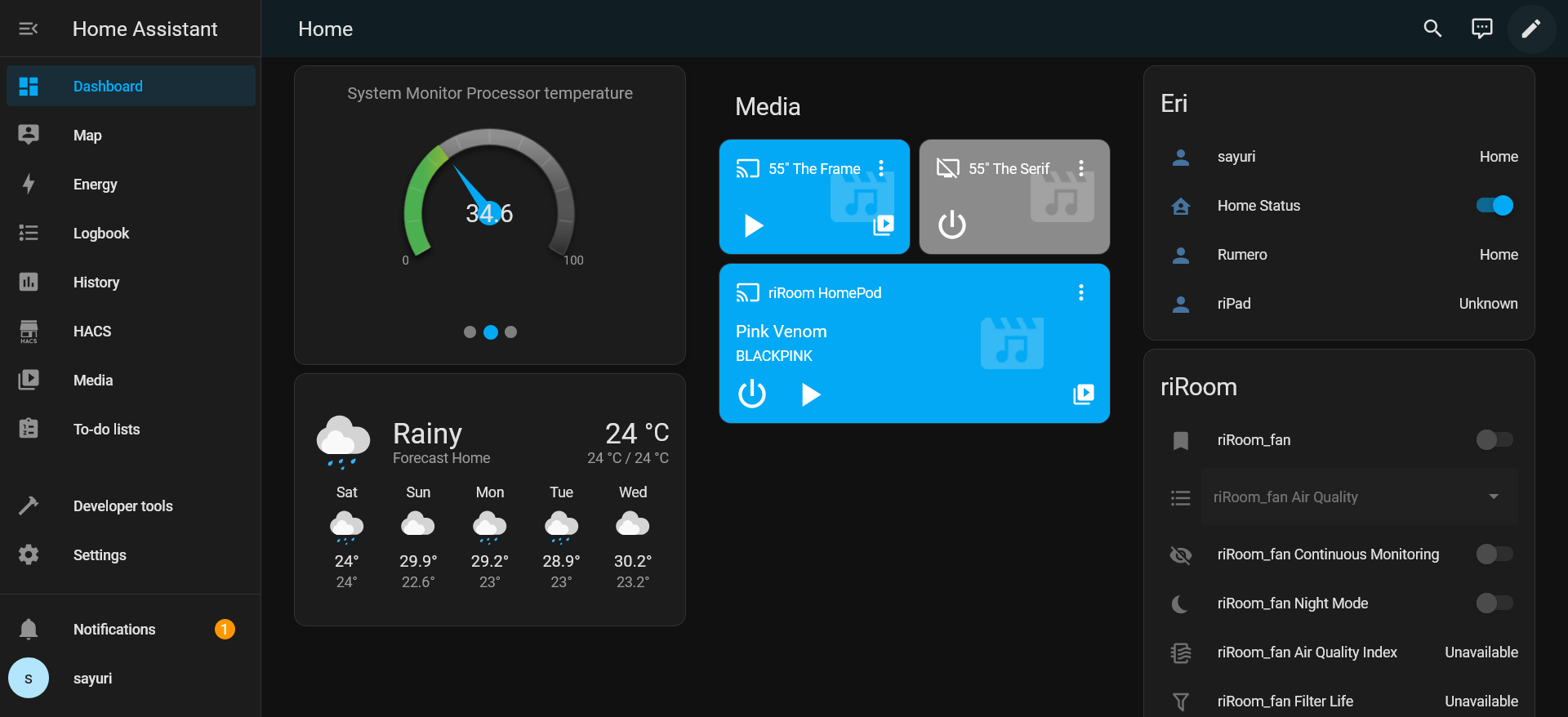
Fig 5. Home Assistant integration
Beyond the initial setup, the real learning came from maintaining the infrastructure. In February 2026, the server experienced a sudden hardware failure due to SD card corruption — a common issue with Raspberry Pi servers running continuous read/write databases.
I was forced into a live troubleshooting scenario. I had to unmount the filesystem, run diagnostic checks on a separate Linux machine, and manually extract my Docker volume data from the corrupted partitions.
Successfully recovering my data taught me an invaluable lesson: a server is only as good as its backup strategy. I have since migrated the primary storage to an external SSD and implemented automated off-site backups for all critical configuration files.