Home Server v2.
After my Raspberry Pi's SD card finally gave out for good, I rebuilt my home server on a retired laptop running Ubuntu Server — and used the opportunity to add a proper file-sharing layer that follows me across every device I own.
Every device I own is joined to the same Tailscale mesh network, which overlays a private virtual network on top of whatever physical connection each device is using. The server (riserver) acts as the DNS resolver for the entire mesh — all DNS queries from connected devices are forwarded to AdGuard Home running on the server, which filters ads and trackers before resolving upstream.
The Raspberry Pi was never really designed for sustained read/write database workloads, and mine eventually proved that the hard way a second time — the SD card degraded beyond the point of recovery. Rather than buying another SD card and repeating the cycle, I moved the whole stack onto an old laptop that was otherwise sitting unused.
A laptop running Ubuntu Server gave me a few things the Pi never could: a real SATA/NVMe drive instead of an SD card, far more RAM and CPU headroom for running multiple containers at once, and a built-in battery that acts as a UPS during brief power outages.
The core services carried over conceptually from the Pi setup,
but I rebuilt every container from a clean
docker-compose.yml rather than restoring an old
image. The list below highlights the key services, but the full
stack runs more containers than these, handling everything from
monitoring to automation helpers, but these are the ones that
define how the server behaves day-to-day.
- Home Assistant — still the hub for all smart home automation and dashboards.
- AdGuard Home — replaced Pi-hole as the network-wide DNS sinkhole, mainly for its built-in DNS rewrite rules and cleaner per-client query log.
- Cloudflared — keeps select services reachable through Cloudflare without opening any inbound ports.
-
Portainer — a web UI for managing every
container, image, and volume on the box, so I'm not constantly
typing out
docker psanddocker logsover SSH.
These four represent the load-bearing services. The rest of the stack fills in around them — additional tools get added and retired as my needs change, which is exactly what containerization is designed to make easy.
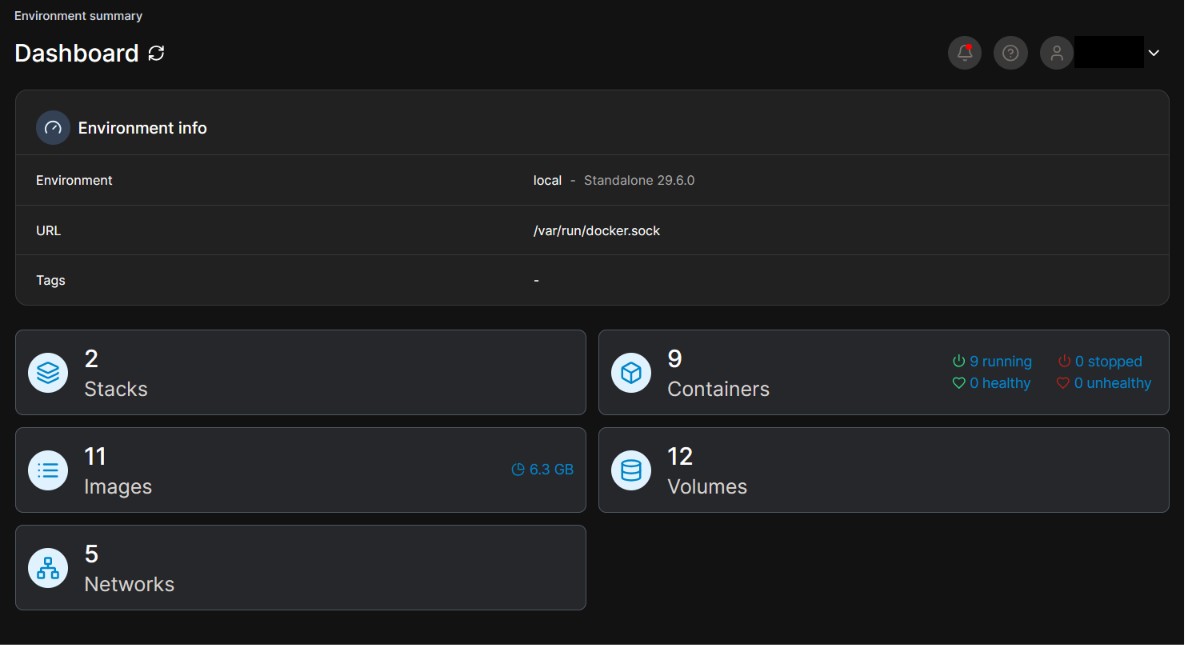
Fig 1. Portainer container management dashboard
Using Portainer alongside Compose files (rather than one or the other) turned out to be the right balance: Compose stays the source of truth for how each service is defined and versioned, while Portainer gives me a fast way to check container health, restart something at 1am from my phone, or inspect logs without reaching for a terminal.
The part I'm most pleased with is new: a unified file-sharing setup that works the same whether I'm on my home Wi-Fi or out on the go.
At the center is a Samba share running on the server, acting as a local network drive that any device on my LAN can mount directly — no app required, just a regular network folder. To reach that same share when I'm away from home, I run Tailscale on the server and on my other devices, which puts everything on one private mesh network regardless of physical location.
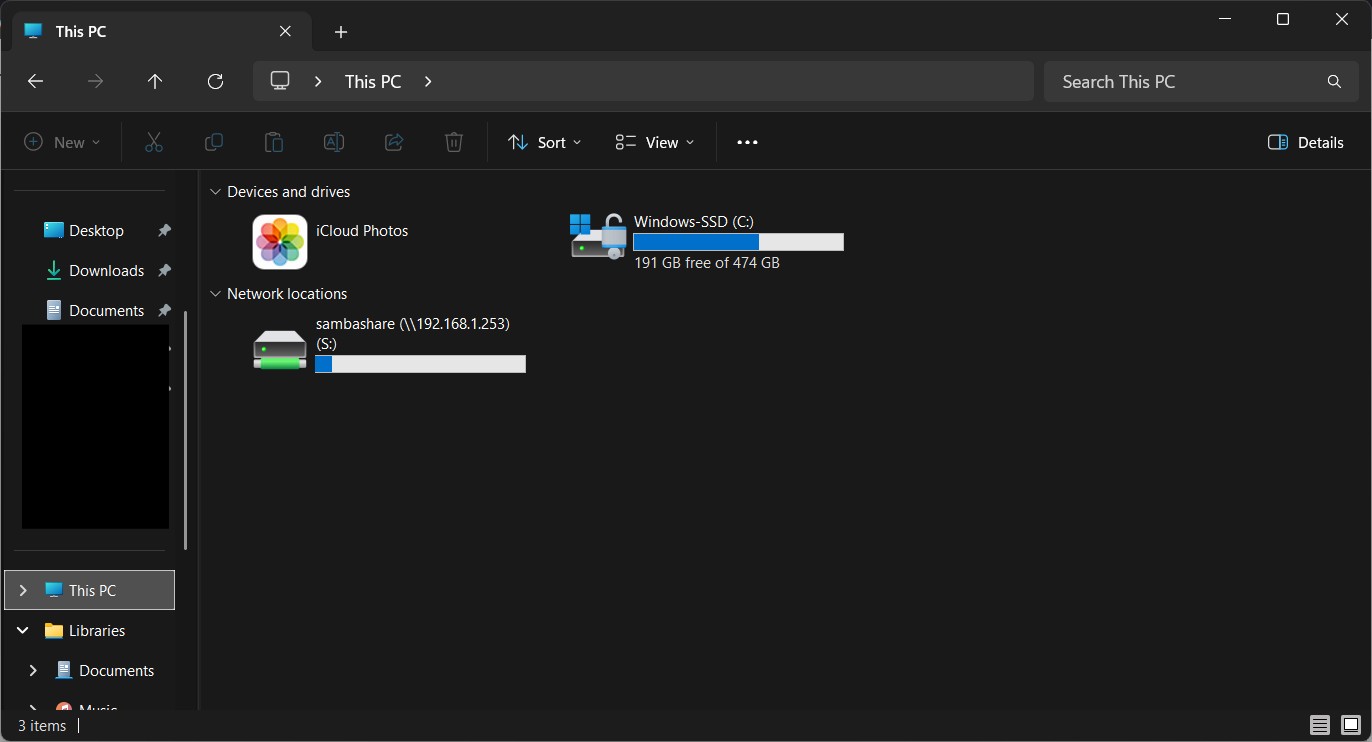
Fig 2. Samba share mounted as a network drive
The detail I like most is Taildrop, Tailscale's built-in file-sharing feature. I configured the server so that any file I send to it through Taildrop lands directly inside the Samba share's incoming folder automatically. There's no manual step to "sync" anything; the file is just there the next time I open the share.
For the folders I actively work in, I layered Syncthing on top. Syncthing keeps a chosen folder inside the Samba share continuously and bidirectionally synced with my laptop, so edits made on either end show up on the other within seconds, without routing through any third-party cloud provider.
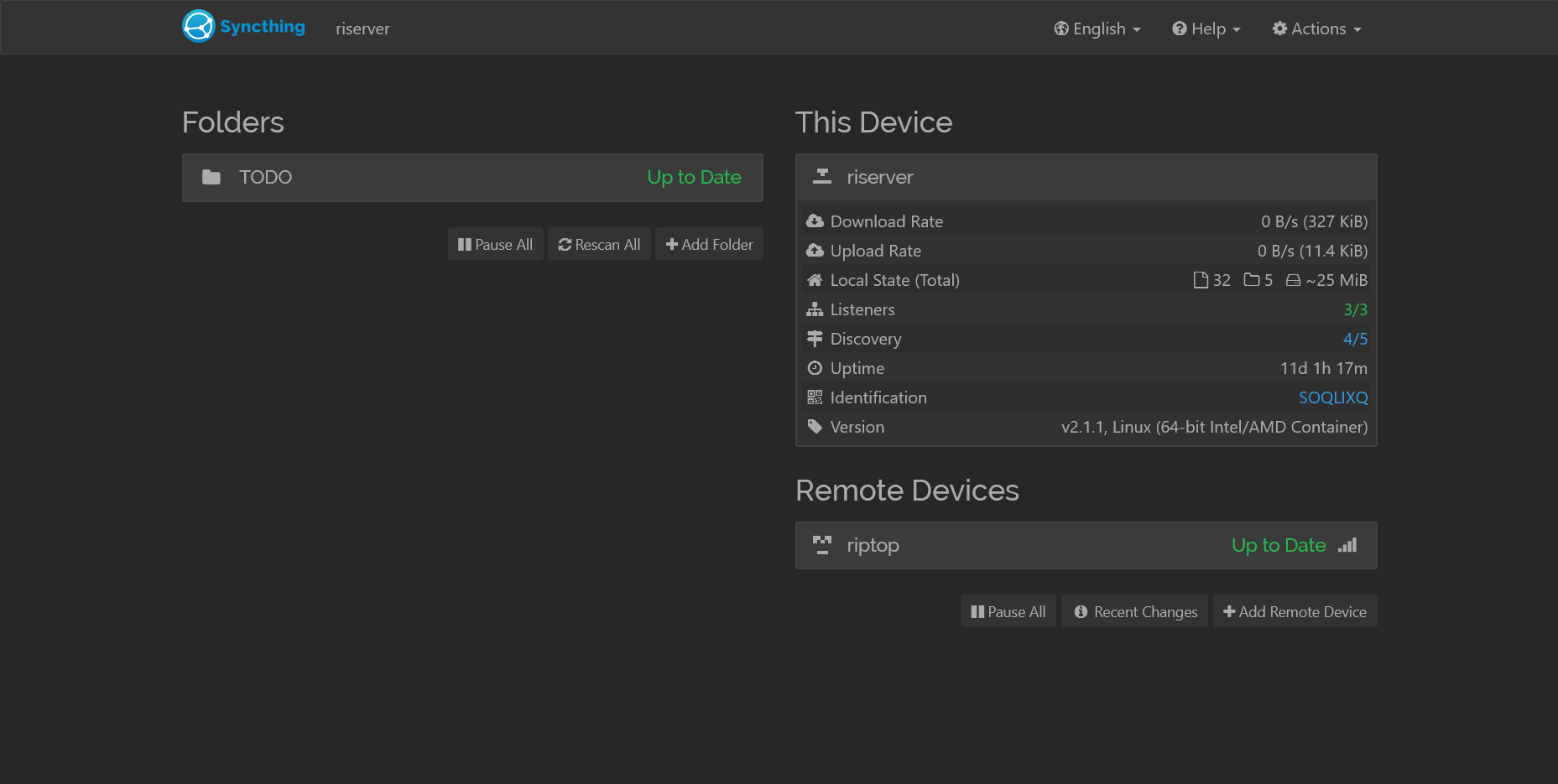
Fig 3. Syncthing keeping the shared folder in sync across devices
Put together, the three tools cover three different needs that I used to solve with one clunky cloud drive: Samba for fast local access, Tailscale/Taildrop for casual "send this to myself" file drops from anywhere, and Syncthing for folders that need to stay live-synced across machines I actively edit on.
Running this many interdependent services on one host pushed me to actually understand Docker's networking modes instead of leaving everything on the default bridge network and hoping for the best.
Samba and Home Assistant in particular needed to be reachable by
their real LAN IP for device discovery and SMB browsing to work
properly, which meant running them with
network_mode: host instead of Docker's isolated
bridge networking. Other services that didn't need LAN-level
visibility stayed on their own bridge networks, which kept port
collisions and unnecessary exposure to a minimum.
Working through this also made the difference between a container's internal port and its published host port click properly for the first time.
The biggest lesson from the Pi's failure was that convenience and reliability are different goals, and my first setup was optimized entirely for the former.
This version is built with the assumption that hardware will eventually fail again — file sharing now lives across three redundant paths (Samba, Taildrop, Syncthing) instead of one, and the underlying host has real storage instead of a consumer SD card. Container configuration lives in version- controlled Compose files rather than ad-hoc commands I'd typed once and forgotten, so rebuilding the stack from scratch is now a known, repeatable process rather than a scramble.