Linux Hardening Project.
A comprehensive documentation project focused on analyzing default network vulnerabilities and establishing step-by-step, robust hardening protocols for Linux environments.

Fig 1. Linux hardening overview
Out of the box, most operating systems prioritize ease of use over security. One of the first and most critical steps in hardening a system involves securing remote access via SSH.
The guide documents the process of auditing the
sshd_config file to disable direct root logins,
enforce cryptographic key-based authentication, and disable
password authentication entirely to protect against automated
brute-force attacks.
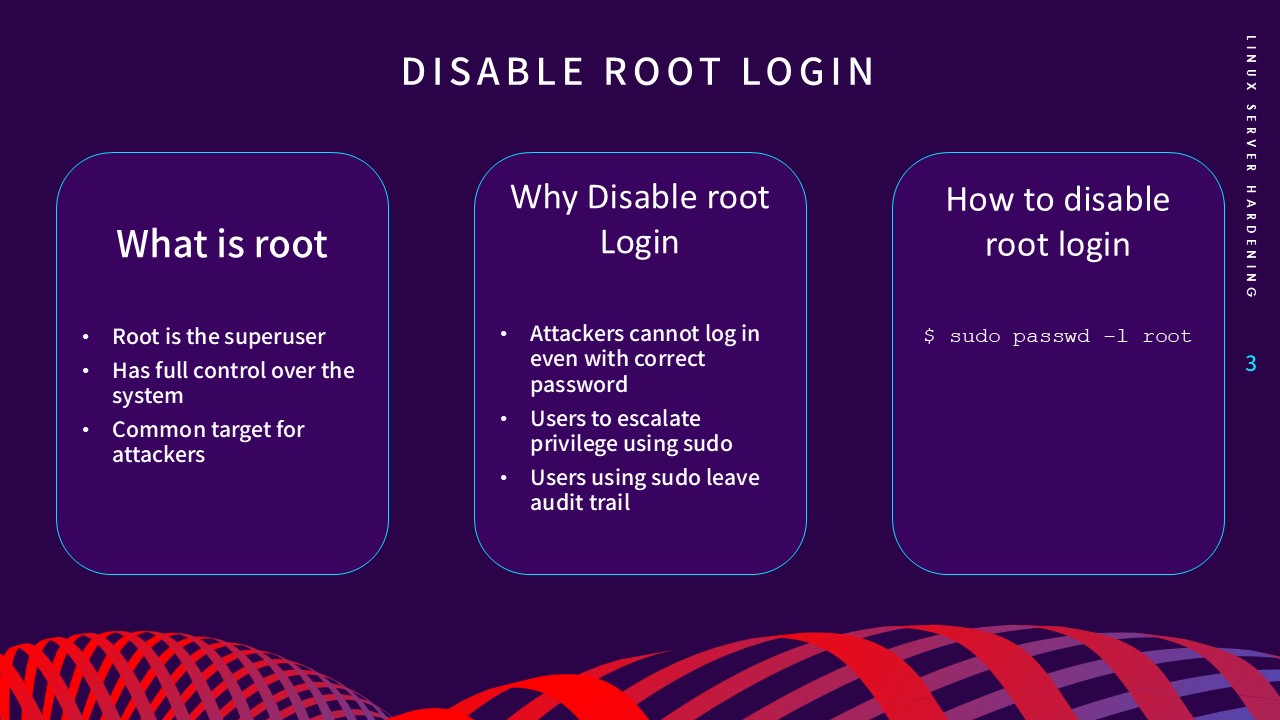
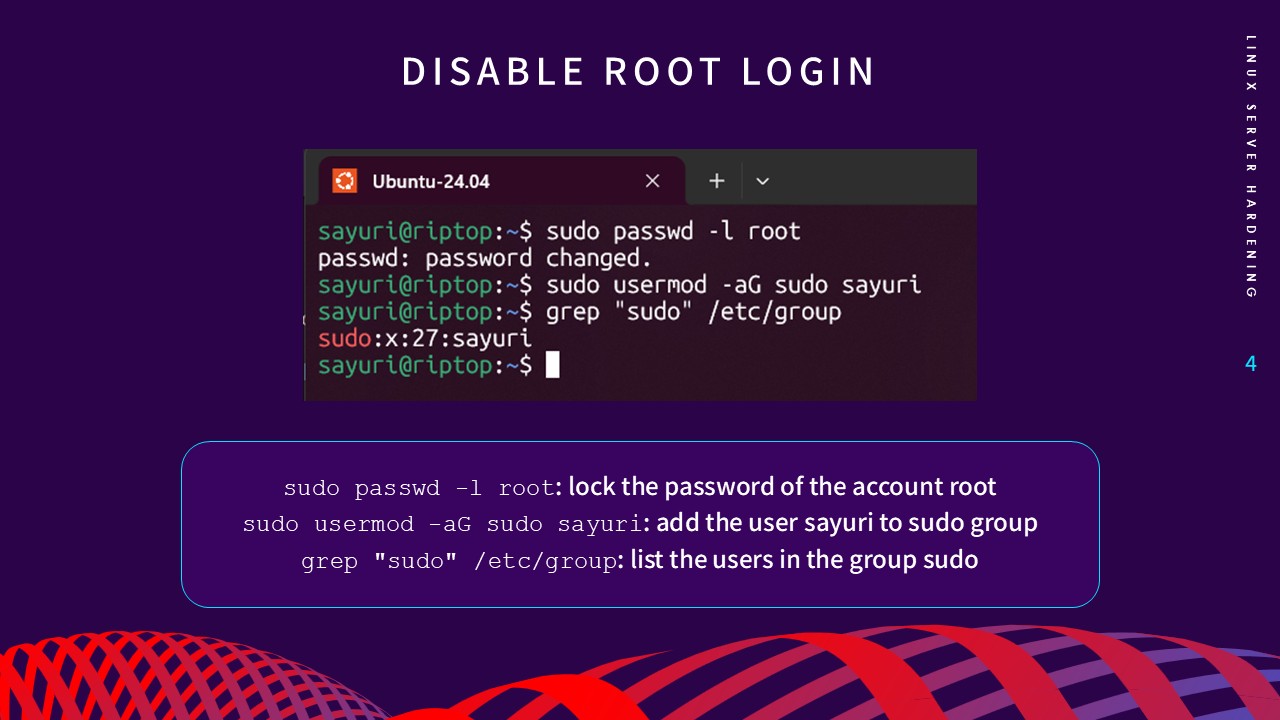
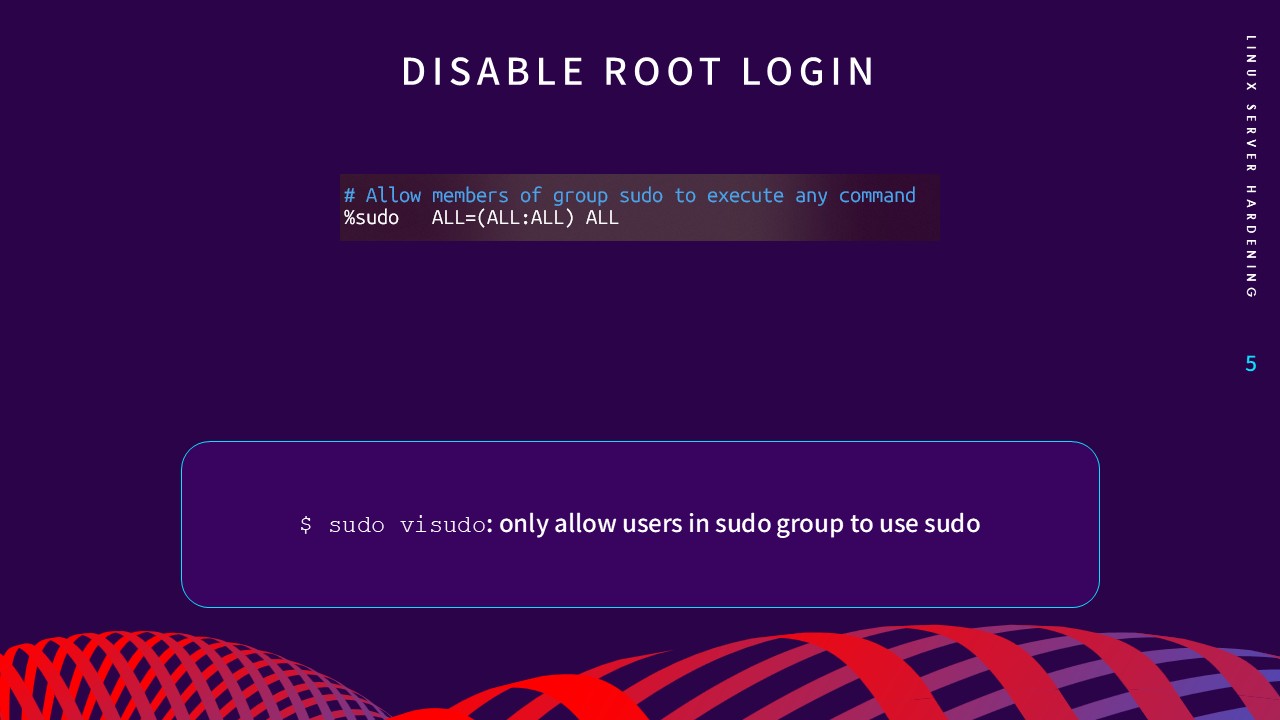
Figs 2–4. Disabling root SSH access & password auth
A fundamental principle of security is reducing the attack surface. Every installed package is a potential vector for exploitation. I documented the process of identifying and purging unnecessary default services and software packages that are not strictly required for the server's operation.
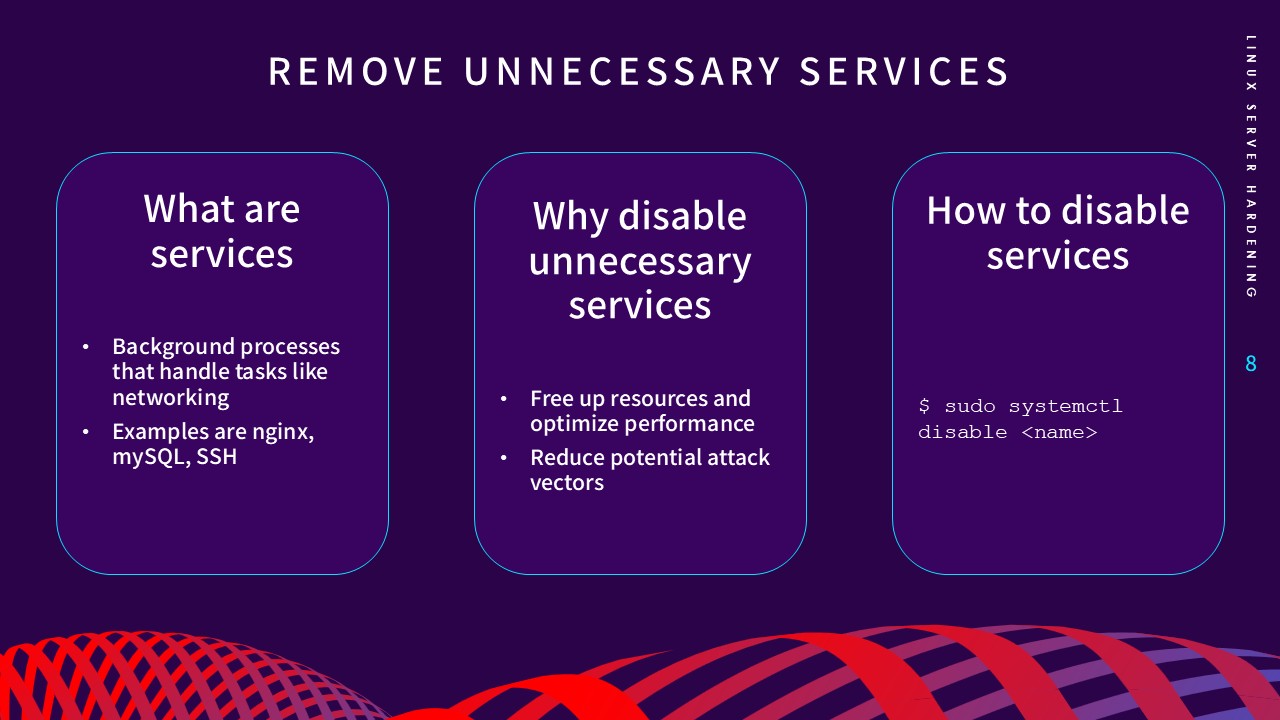
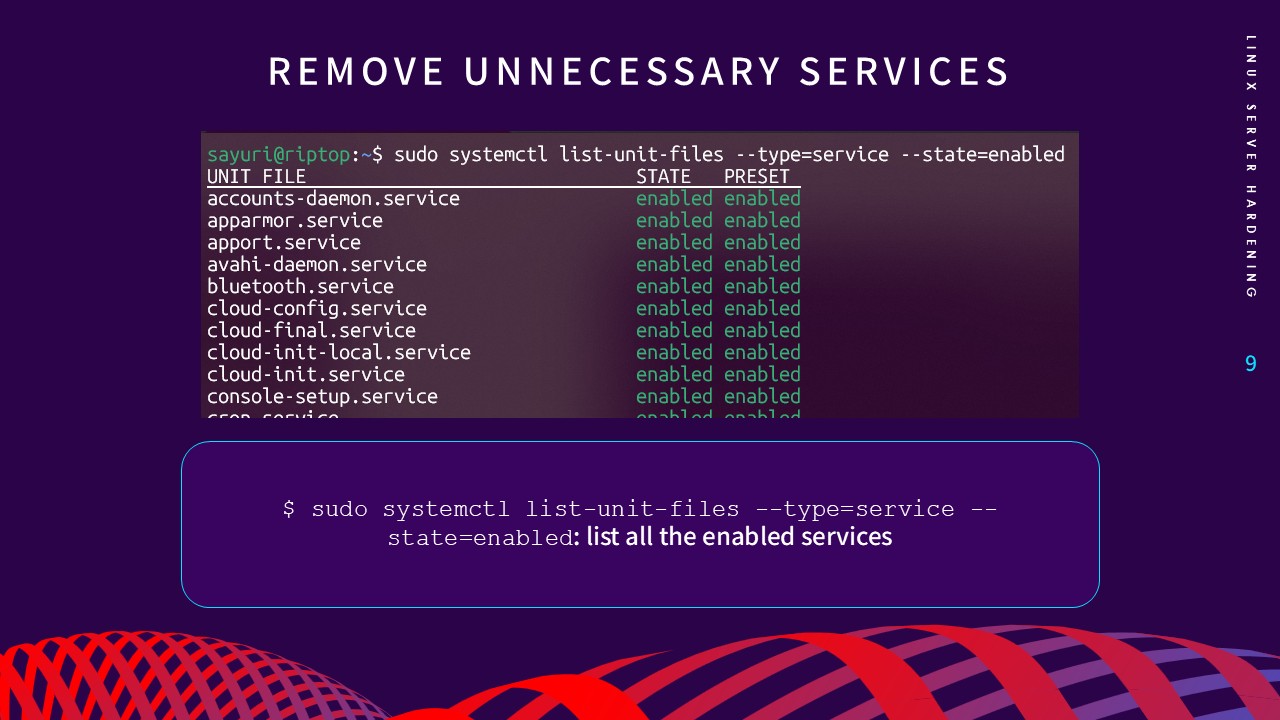
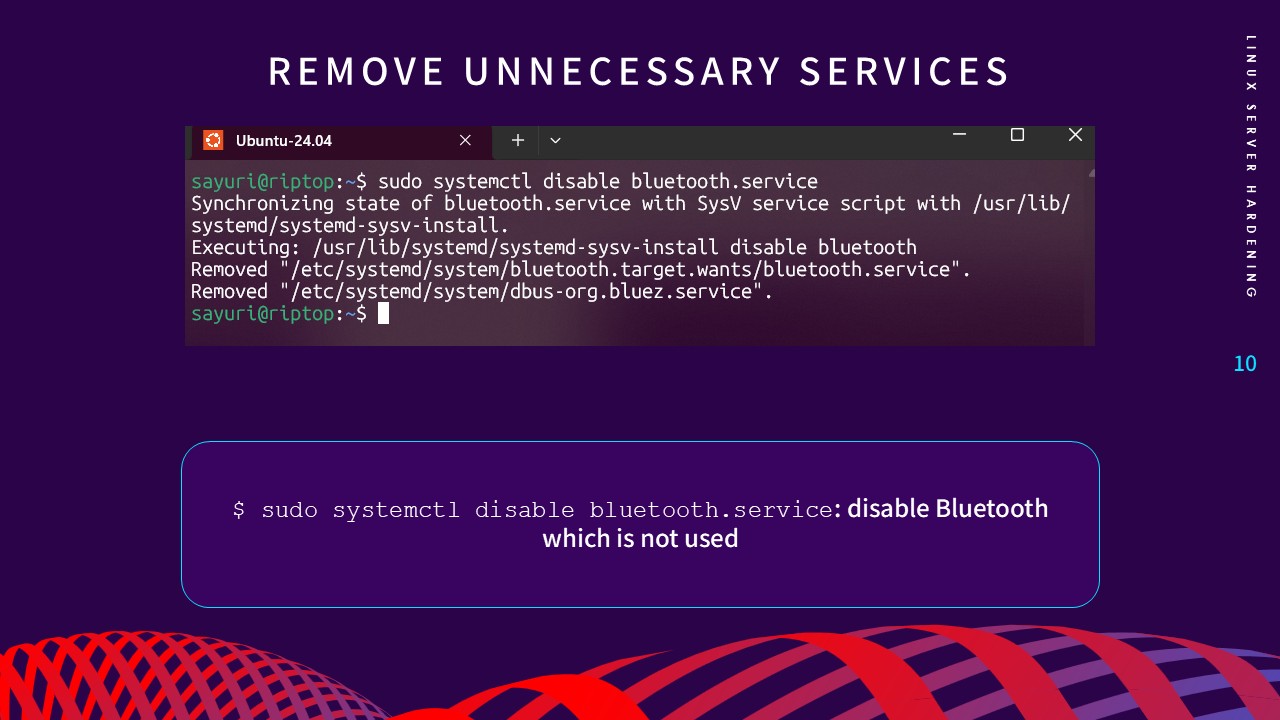
Figs 5–7. Auditing and purging unnecessary packages
For perimeter defense, the guide covers the configuration of UFW (Uncomplicated Firewall). Rather than allowing all traffic, the documentation emphasizes a "default deny" posture. We explicitly whitelist only the essential ports required for services (like SSH, HTTP, HTTPS) and drop everything else at the network edge.
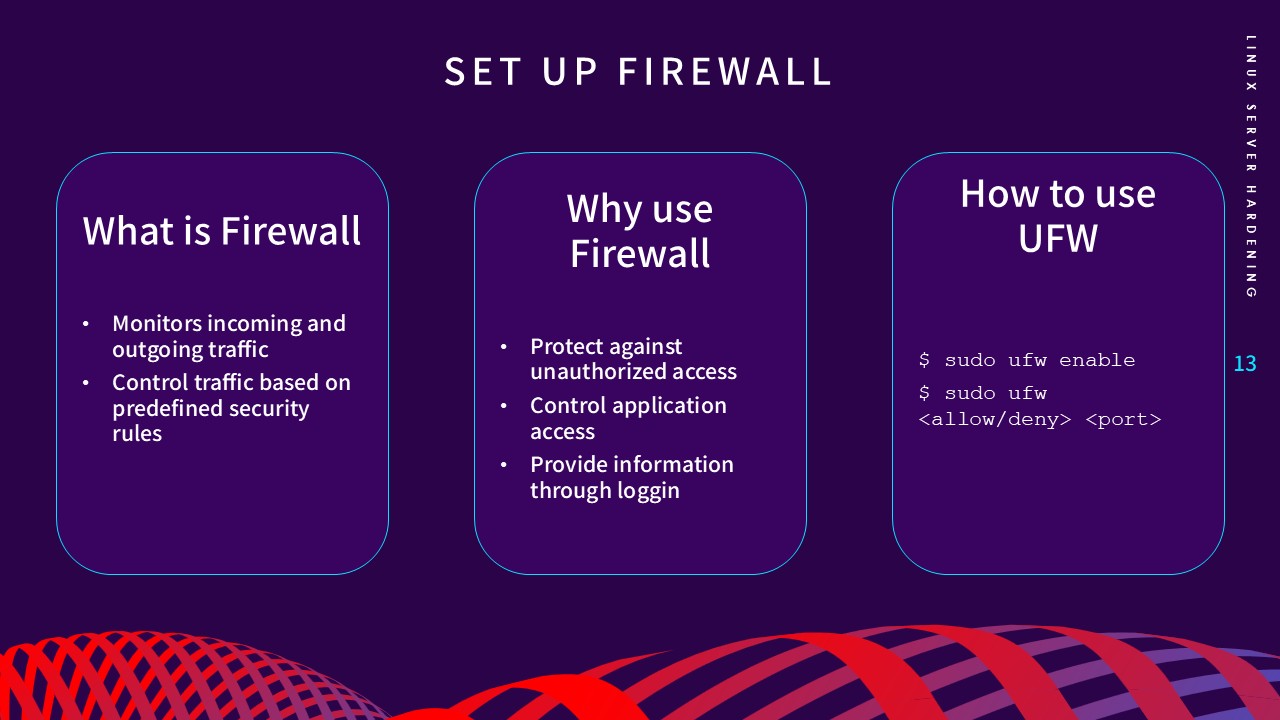
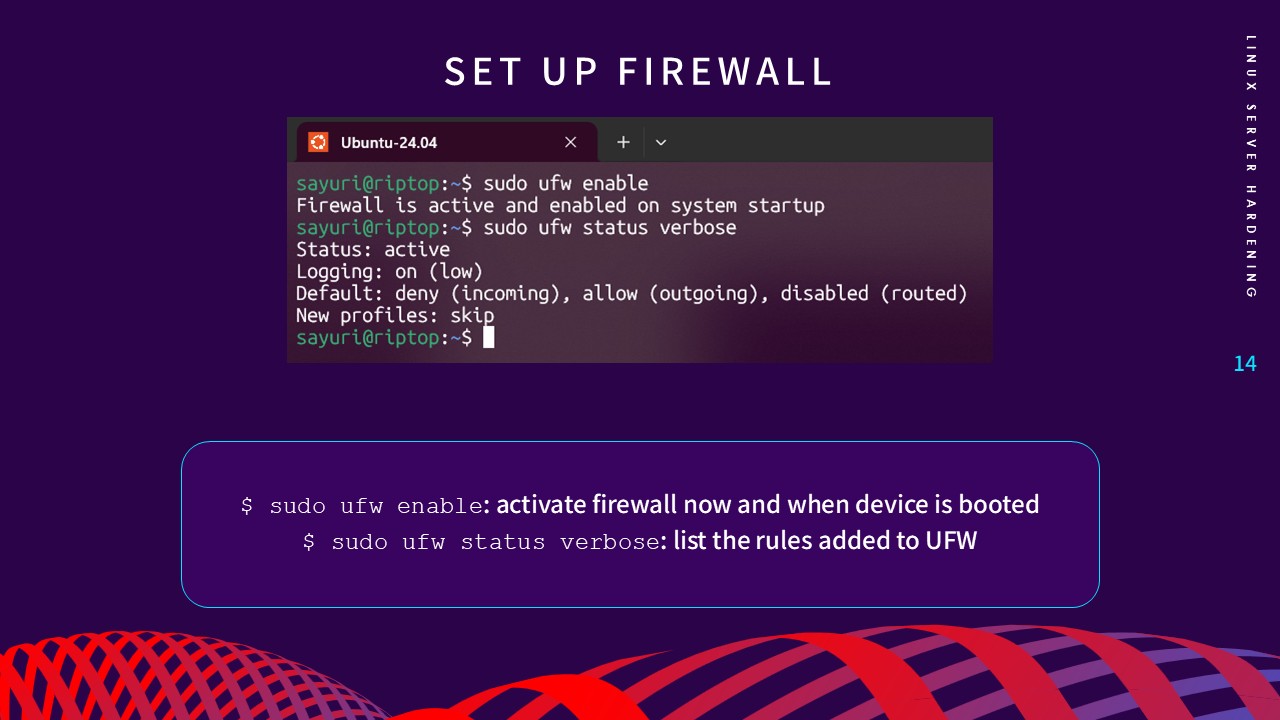
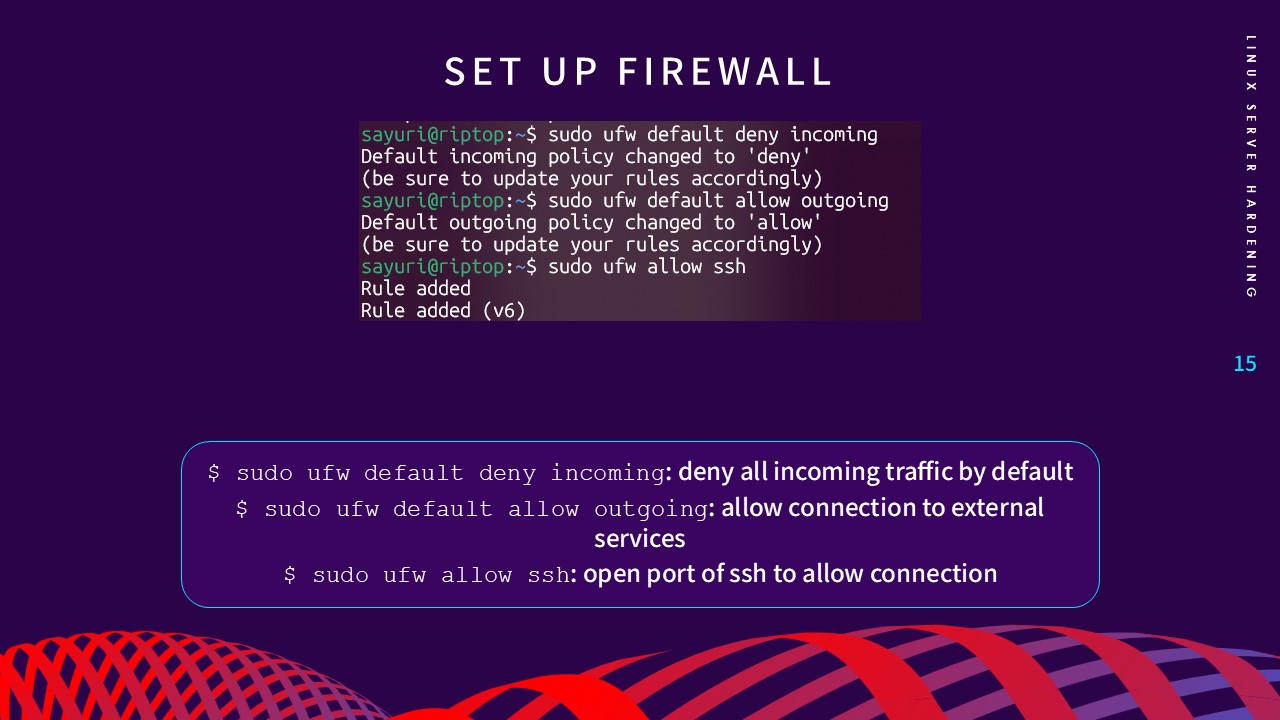
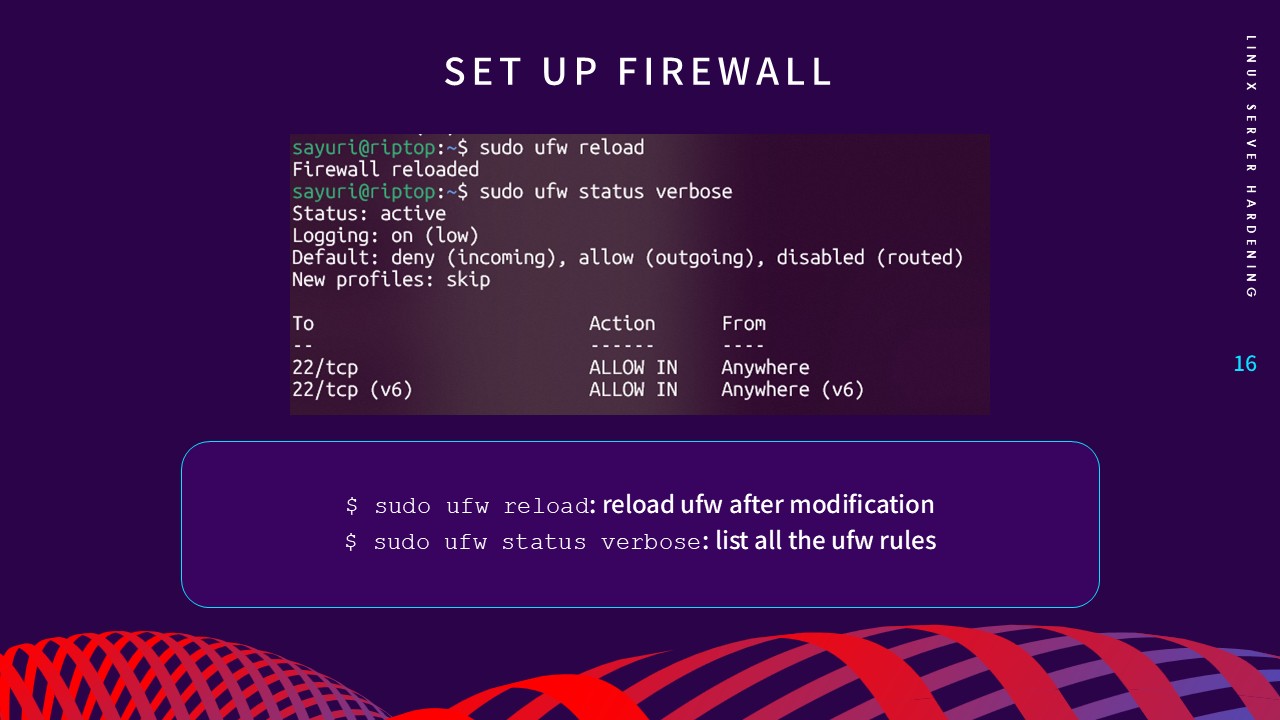
Figs 8–11. Configuring a default-deny firewall posture
Internal system auditing is just as vital as external
defense. The documentation details how to evaluate file
permissions, restrict unauthorized access to critical
configuration files, and ensure correct ownership of system
binaries using chmod and chown.
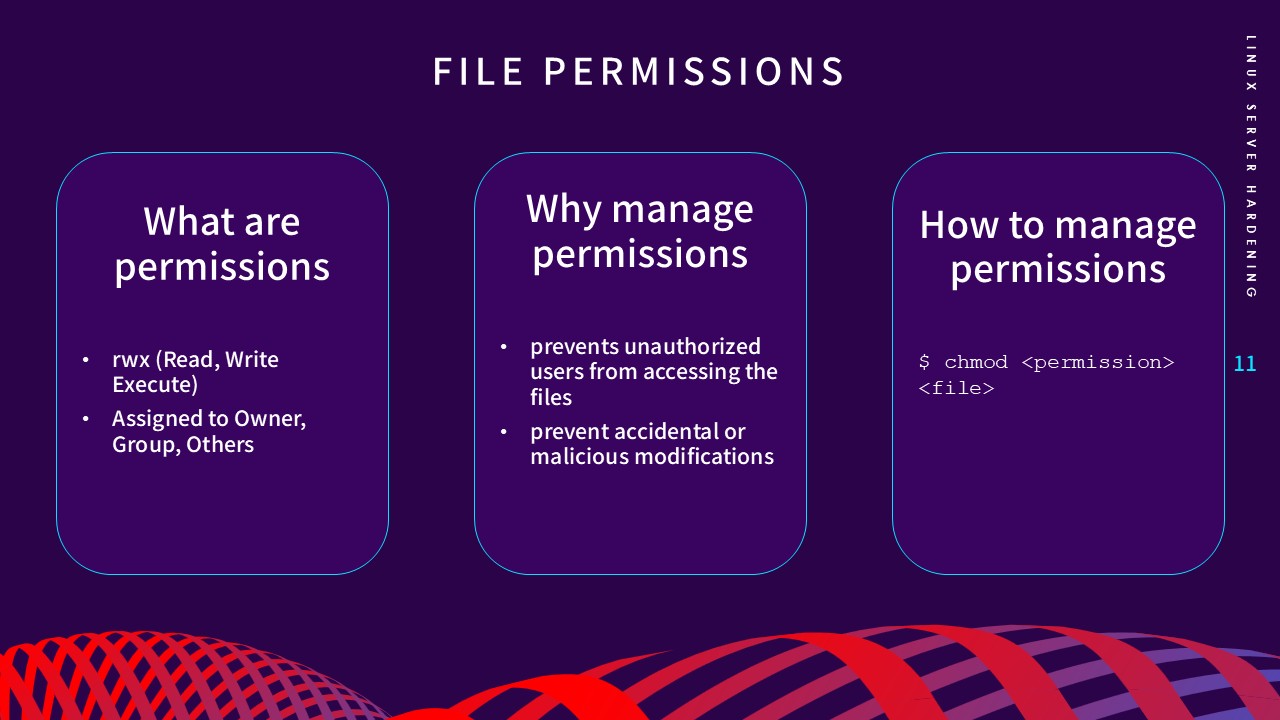
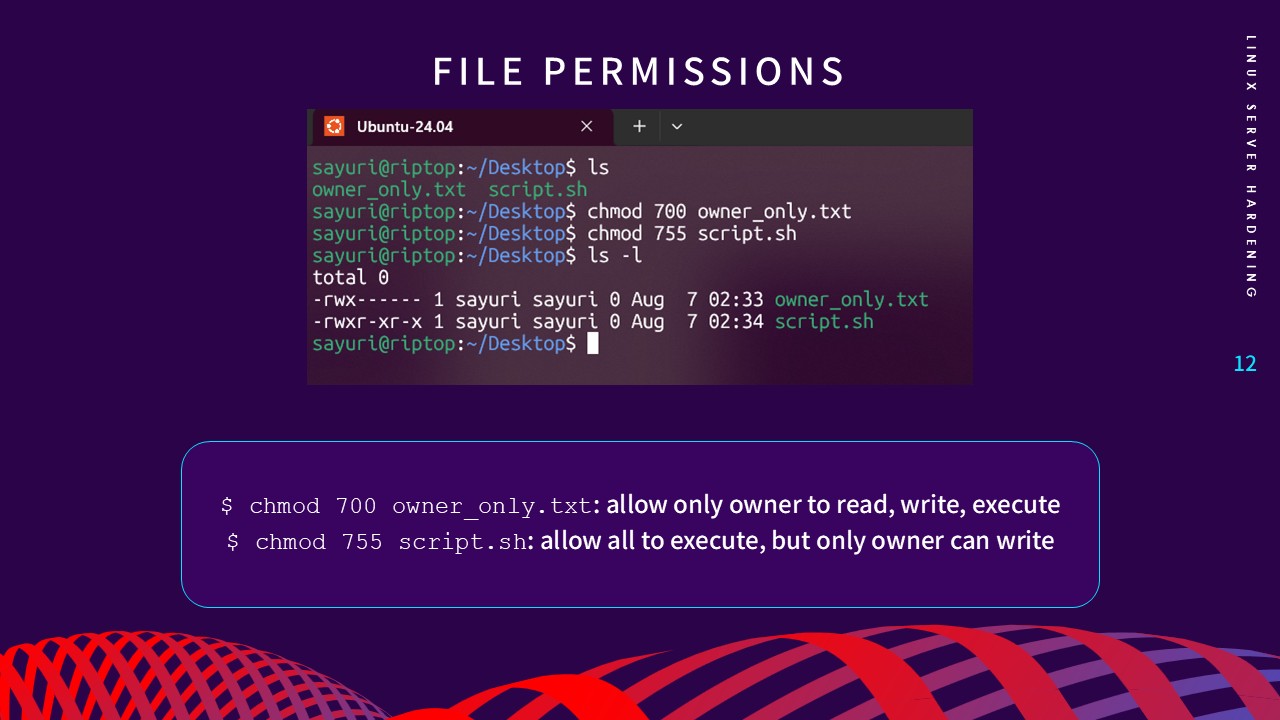
Figs 12–13. Auditing & modifying critical file permissions
Accurate logging is the backbone of any security infrastructure. As I've learned through compliance auditing, if your system timestamps are incorrect, incident investigations and log correlations become impossible.
The final step documents configuring Network Time Protocol (NTP) to ensure the system clock remains perfectly synchronized with global time servers.
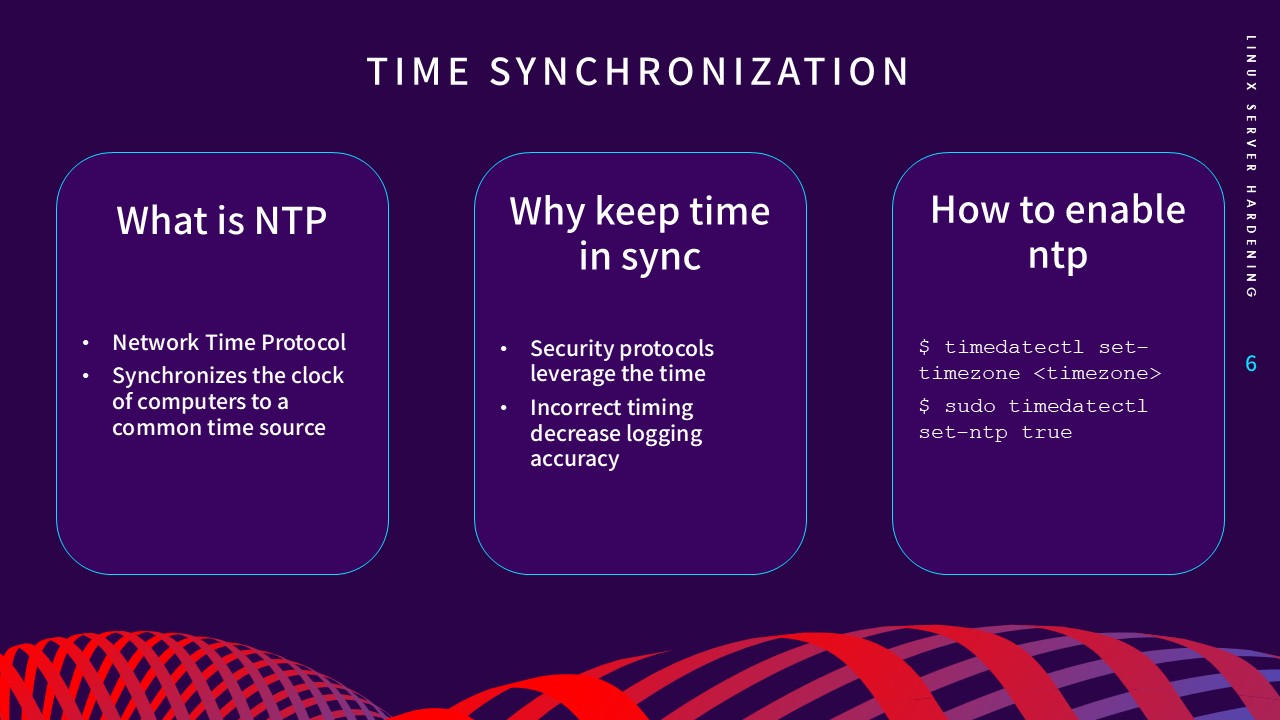
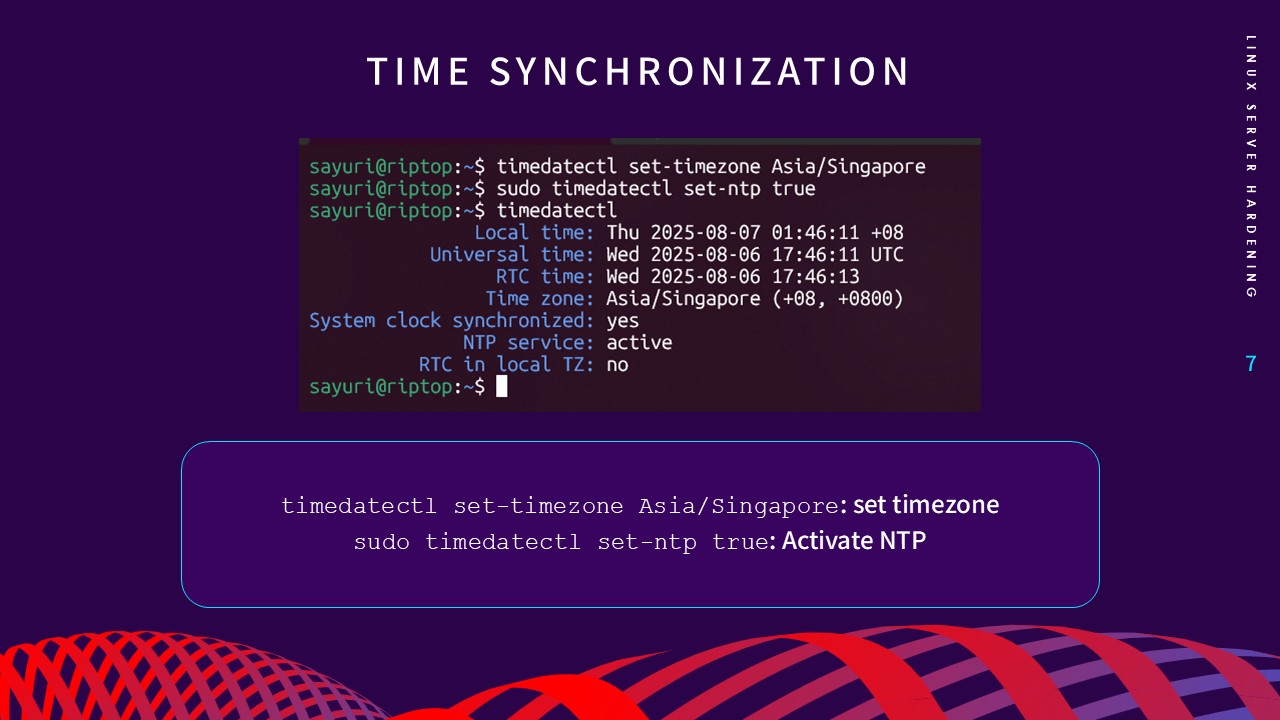
Figs 14–15. Establishing reliable time synchronization